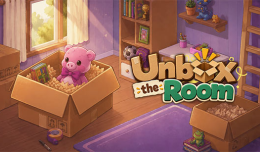
Unbox the Room combines puzzle-solving, organization, and light decoration in a charming pixel-art setting. The main objective is simple: unpack belongings one by one and find the most suitable location for them.
You may discover books, decorations, personal objects, and other familiar items. Shelves, drawers, tables, and different surfaces provide opportunities for arranging everything neatly. As the room gradually takes shape, the game creates a relaxing sense of progress.
Key features include:
The gameplay revolves around a straightforward but engaging cycle: unpack, identify, place, and explore. Each object presents a small decision. First, determine what the item is, then inspect the available room and consider where it fits best.
Space management becomes increasingly important as more belongings are removed from the boxes. An item that looks suitable on a table might work better inside a drawer or on a shelf. Experimenting with different placements is part of the puzzle-solving process.
Some objects also have interactive details that make the experience more personal. For instance, a cassette tape can be customized by typing a name onto its label, adding an extra discovery element beyond simple organization.
PC controls:
Mobile controls:
For a smoother experience, keep these tips in mind:
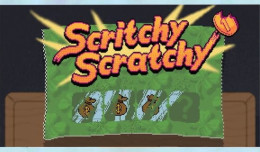
there are many other games developed under Spotle, let's try them out